Helios Forge Fleet
HELIOS FORGE FLEET
Crypto Mining Management Platform
Helios Forge Fleet/Features/Alerts
Feature

ASIC Miner Alerts & Notifications

The right people hear about real problems fast — and hear nothing about problems that aren't real. Alerting for mining fleets lives or dies on that second half.
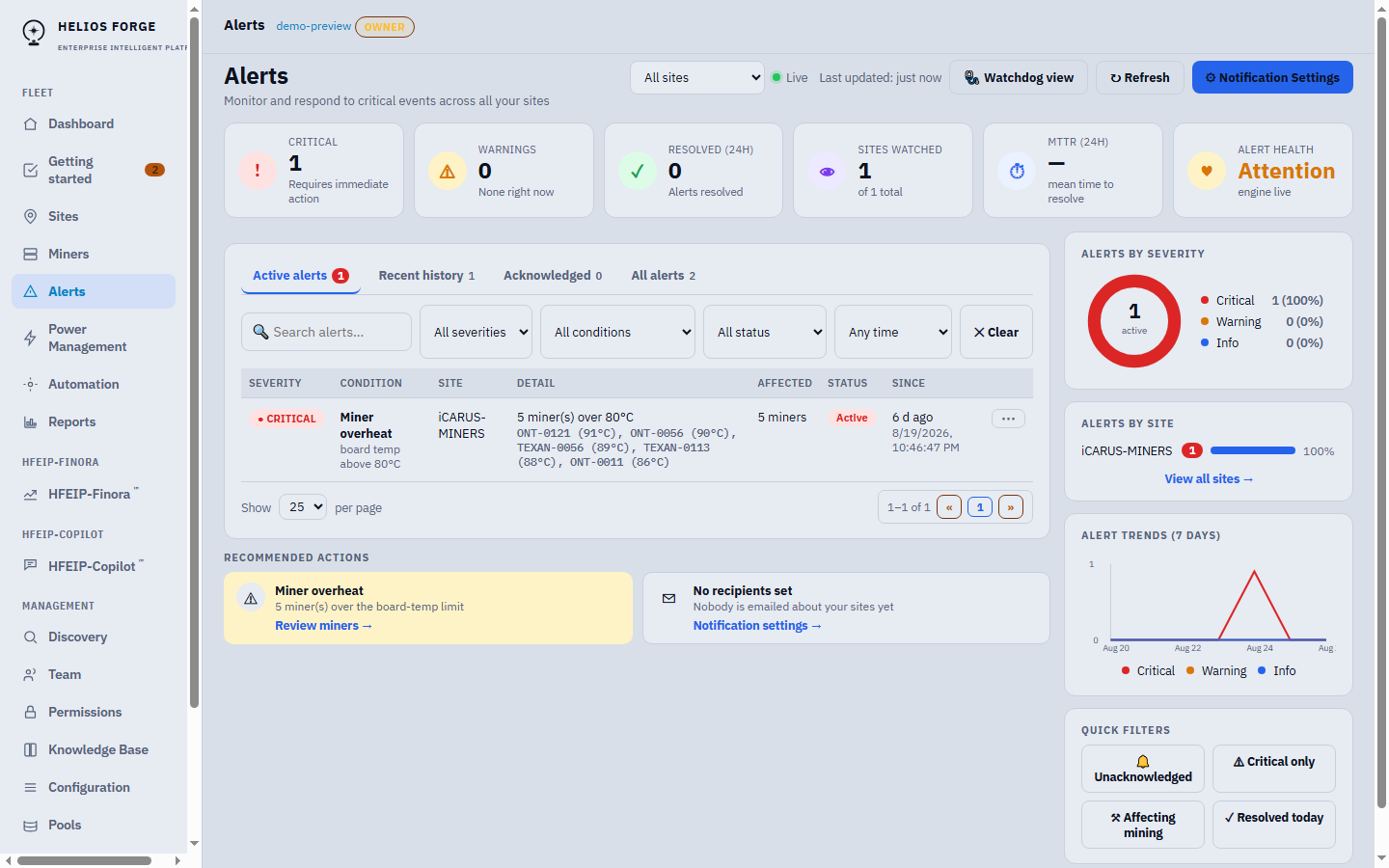
Helios Forge Fleet alerts console for the demo site: active critical alert with per-miner detail, severity breakdown, trends and recommended actions
Product preview — illustrative demo data

What raises an alert

Operational signals cover the failures that cost money: miners offline, thermal warnings and critical temperatures, hashrate loss, and site-level connectivity. Security signals cover the platform itself: failed-login bursts, sign-ins from a new device or location, and cross-organization access attempts. Alerts appear in the console with acknowledgment and resolution tracking, and are emailed to the recipients you route them to.

Routing that matches a hosting business

A mining host serves many parties who need different slices of the truth. Recipient routing is configured per organization and per client: the Site Owner picks who hears about which alert kinds for each client's machines, platform staff routing is separate, and per-organization copies are opt-in. If an organization configures nothing, alerts fall back to the owner's login email — silence by misconfiguration isn't an option.

The anti-false-alarm machinery

Frequently asked questions

How are alerts delivered? +
Alerts appear in the console and are delivered by email to the recipients you configure. Additional delivery channels are planned and will be labeled as planned until they ship.
How do you avoid false alarms? +
Several guards work together: alerts hold briefly before opening so momentary glitches don't page anyone; thermal alerts resolve on evidence of recovery, not just a vanished reading; and a site that is intentionally curtailed is marked as planned downtime, so scheduled sleep never raises an outage alarm.
Can different clients get different alerts? +
Yes. Recipient routing works per organization and per client — a Site Owner chooses recipients and alert kinds for each client, and platform staff routing is separate. If an organization has no recipients configured, alerts fall back to the owner's login email rather than disappearing.
Does it alert on security events too? +
Yes. Failed-login bursts (which also auto-lock the account temporarily), sign-ins from a new device or location, and cross-organization access attempts generate security events with alerting for administrators.

Related

Real problems, real people, right now — and quiet nights otherwise.
Request a Demo